
Grid-Card Login Automation
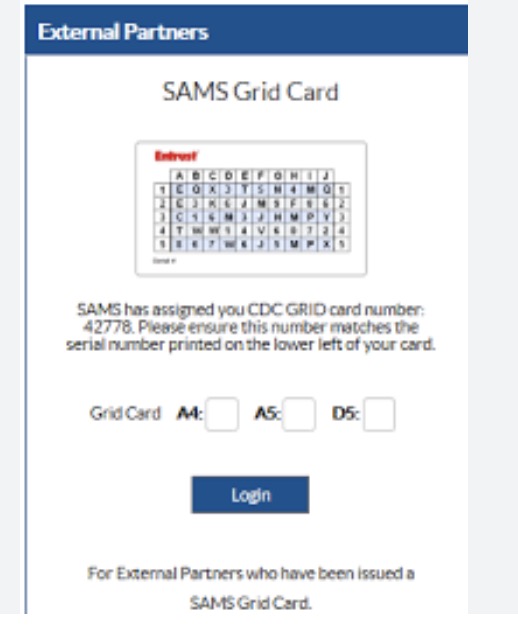
During my QA internship at Prometheus Group, I regularly had to log into clients’ testing environments to reproduce bug tickets and pull configurations. One client guarded their system with a grid-card challenge—an uncommon form of multifactor authentication where you’re given a row and column (for example, “A4-A5-D5”) and must look up the matching key values on a printed card. Doing this dozens of times a day meant hunting down the card in a Teams directory and decoding the challenge by hand. It was slow, repetitive, and exactly the kind of thing software should handle.
I built a Python script using Selenium to automate the whole flow. I modeled the grid card as a 2D array, used Selenium to drive Chrome, and inspected the page’s HTML to find the element IDs and classes I needed to read the challenge string and submit the answer. The script parses and cleans the challenge, looks up each key in the data structure, fills in the response, and logs straight into the client’s testing system. All a teammate needed was Python, Selenium, and Chrome installed.
The payoff was both practical and conceptual: sign-in dropped from two or three minutes of manual lookup to under a minute, and the whole QA team could use it. More importantly, it was an early lesson in spotting automatable friction—if a task is annoying and repetitive for me, it’s probably worth automating for everyone. That instinct for turning tedious manual steps into reliable tooling is something I’ve carried into every role since, including building CI/CD pipelines and ground-station tooling.
Source: sozodennis01/PythonSeleniumScript-AutologinGridChallenge